OpenZT2 reads the original game’s content and draws it with a new renderer built on Rust, Bevy and wgpu, and we want the zoo to look the way it did in Zoo Tycoon 2.
Each comparison shows the original on the left, OpenZT2 in the middle and a difference heatmap on the right, where brighter magenta means a bigger difference. The heatmap ignores one-pixel shifts and tiny changes of shade, leaving the noticeable differences. Different faults leave different shapes: a large patch of colour can point to a wrong blend mode or texture stage, thin outlines around objects suggest a projection or camera mismatch, and fringes around letters point to text rendering.
Globe textures and layered materials
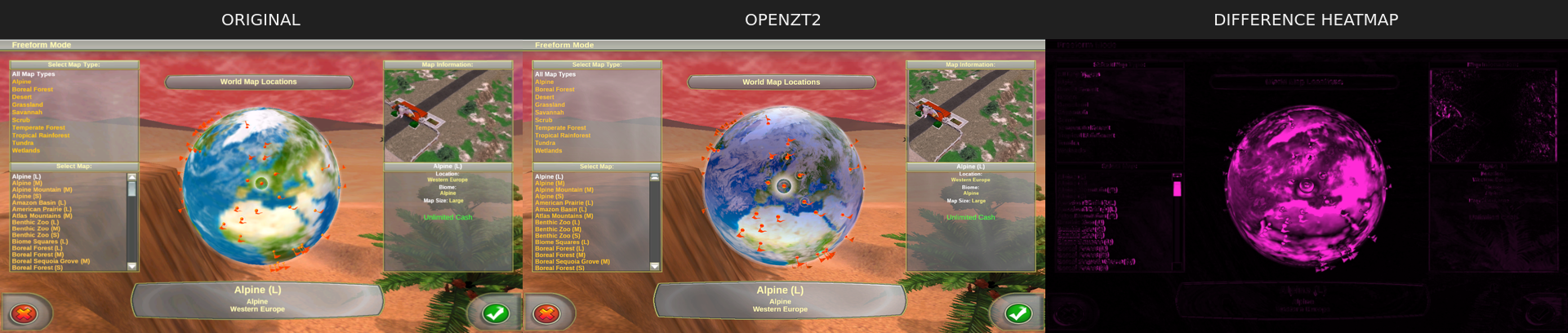
After the three fixes below, the Earth’s surface, clouds and orange flags render together, and the remaining differences are in the cloud shading and the location marker.
Before the globe fixes
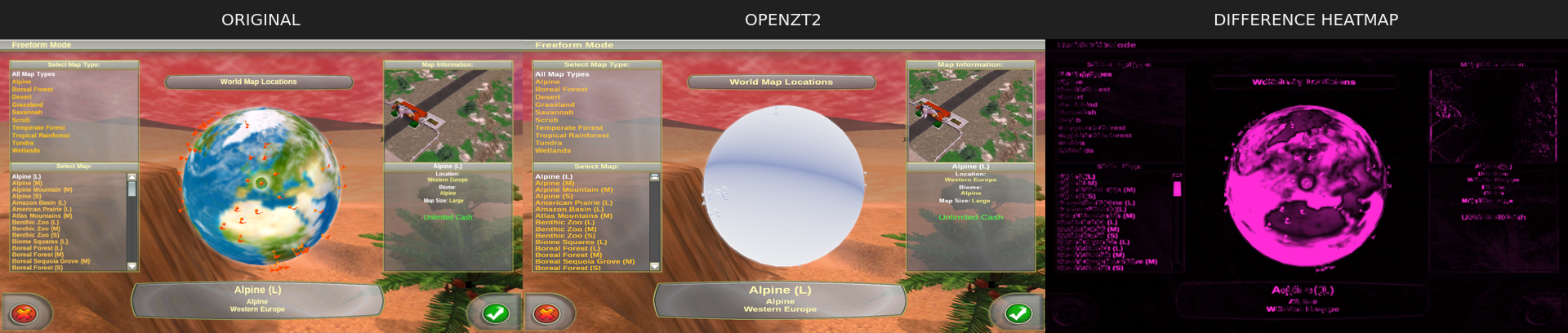
The white sphere came from a camera assumption. Our material setup looked for the in-game zoo camera, but the world-selection screen doesn’t have one, so the globe kept its placeholder material. It now uses whichever 3D camera draws the globe’s layer.
With real materials in place, the clouds appeared but the Earth didn’t. The transparent cloud layer still writes depth, and because the Earth and clouds share an origin, the clouds could be drawn first and hide the Earth. We now draw opaque techniques before transparent ones.
The original’s lights are defined against a 100,000-lux reference, while Bevy’s default is 10,000, so every directional light arrived at a tenth of its intended strength until we matched the reference.
Biome filter and lighting
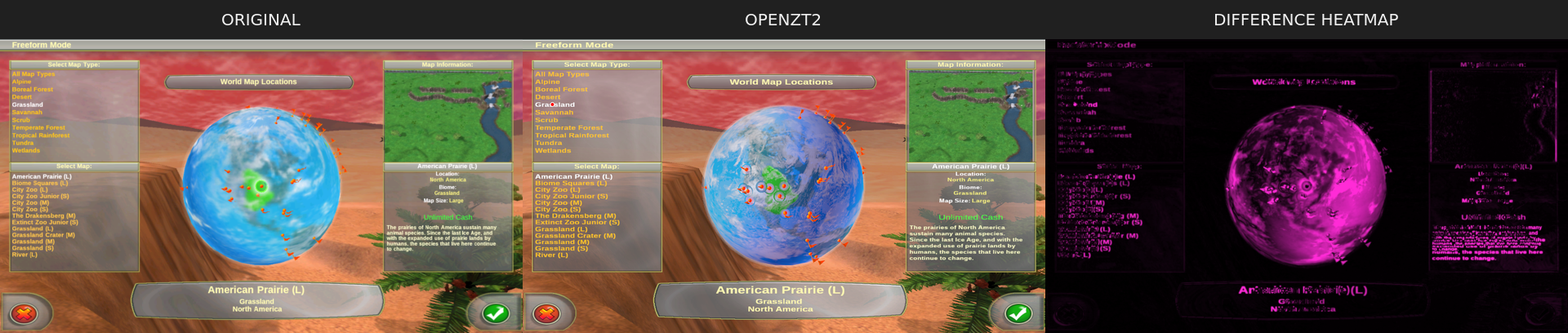
With the grassland filter selected, OpenZT2’s globe shows the original’s blue ocean and green highlight, while the clouds, the marker’s position and the text wrapping still differ.
Main menu
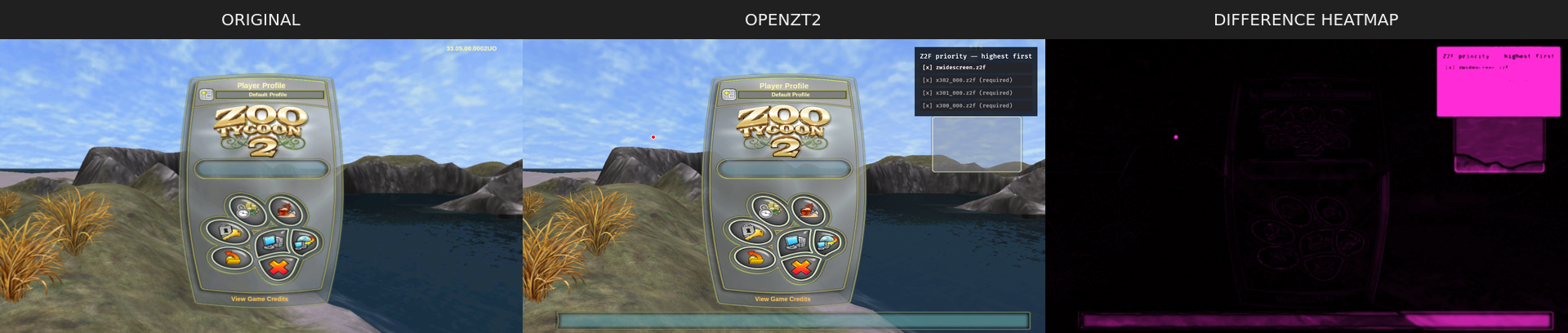
The logo, panel, buttons and profile controls sit where the original puts them, so the heatmap mostly picks out text and panel shading, plus OpenZT2’s added archive panel in the top right.
Terrain materials
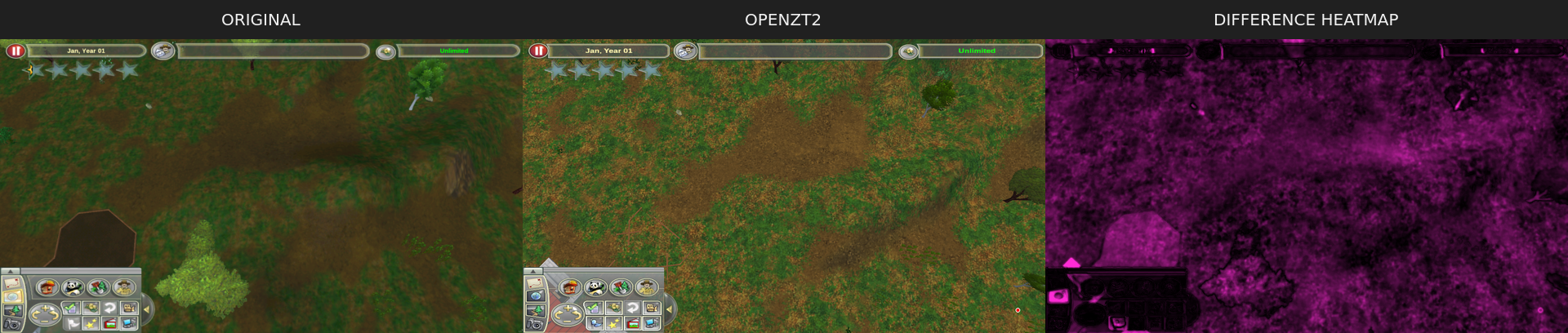
Grass, dirt and slopes render through the restored material pipeline, but texture detail, colour balance and lighting still differ. The captures use different camera positions and foliage, so much of this heatmap comes from framing.
Menus in use
We also compared two interactive menu states over the same coastal background.
Freeform button hover
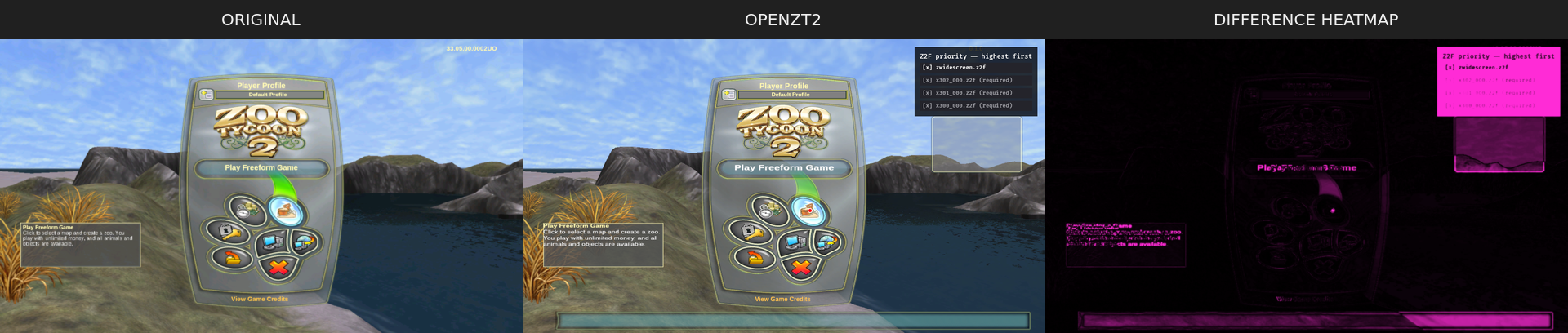
Both games show the same blue highlight and green arrow, but OpenZT2’s help text is a different size and wraps differently, and our archive panel and some extra outlines add to the heatmap.
Video and sound settings
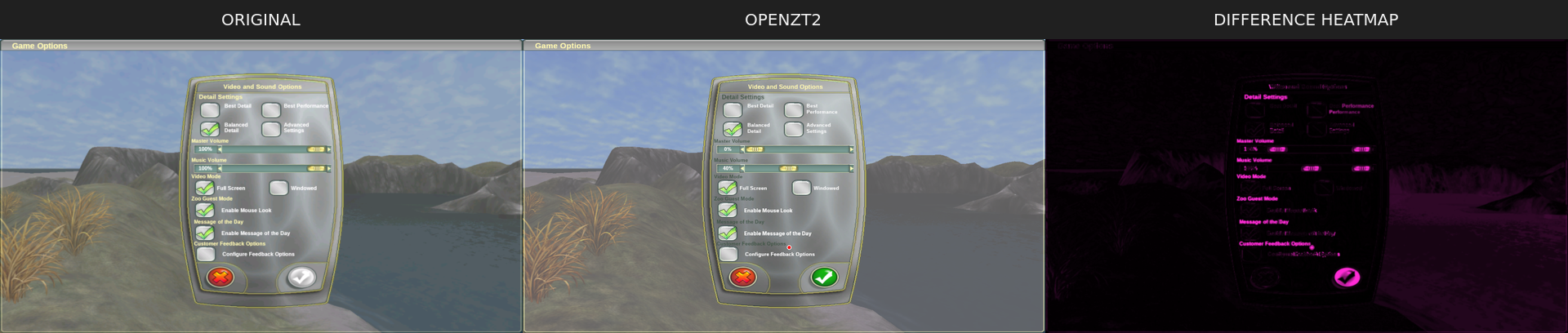
The panel shape, checkboxes and slider artwork are close. The two games were set to different volume levels and OpenZT2’s confirm button happened to be enabled, so part of this heatmap comes from the captures, and the rest is text and shading.